Boat Rental Scheduling Software for Your Whole Fleet
See every boat, jet ski and tour on one fleet calendar. Set hourly, half-day and daily slots, add buffers between rentals, block boats for maintenance and change schedules from your phone. Every change syncs to your website and resellers at once, so a boat can’t be double-booked.
- Increase Direct Bookings
- Built For Watersports
- Save Hours Every Week
- Live Support

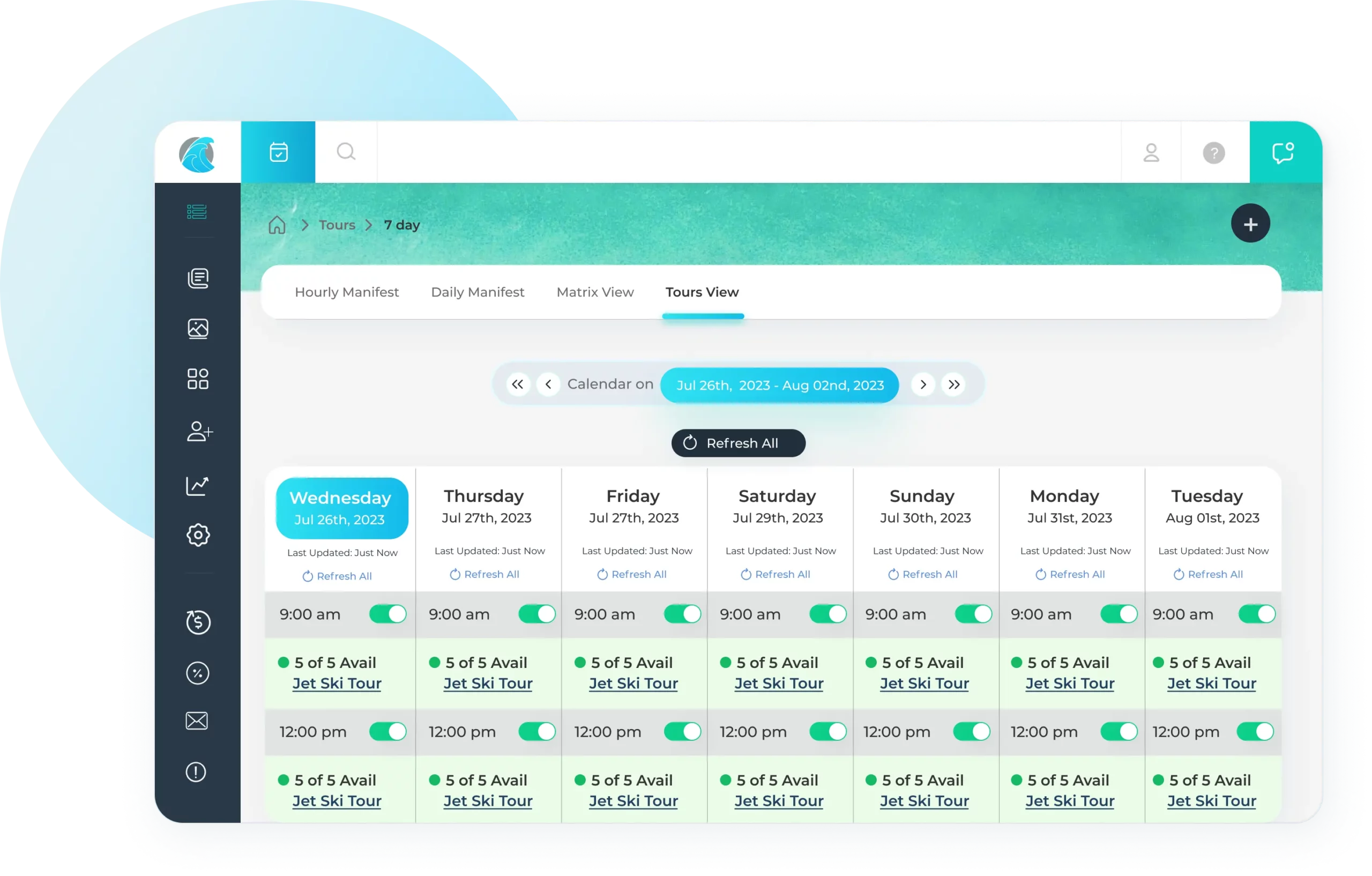
Simplified Schedule Management
- Our matrix calendar puts you in full control of day-to-day operations, letting you click less and sell more.
- Offer both rentals and tours using the same equipment without overbooking or scheduling conflicts.
- Tailor your rental and tour schedule for optimal efficiency and revenue generation.
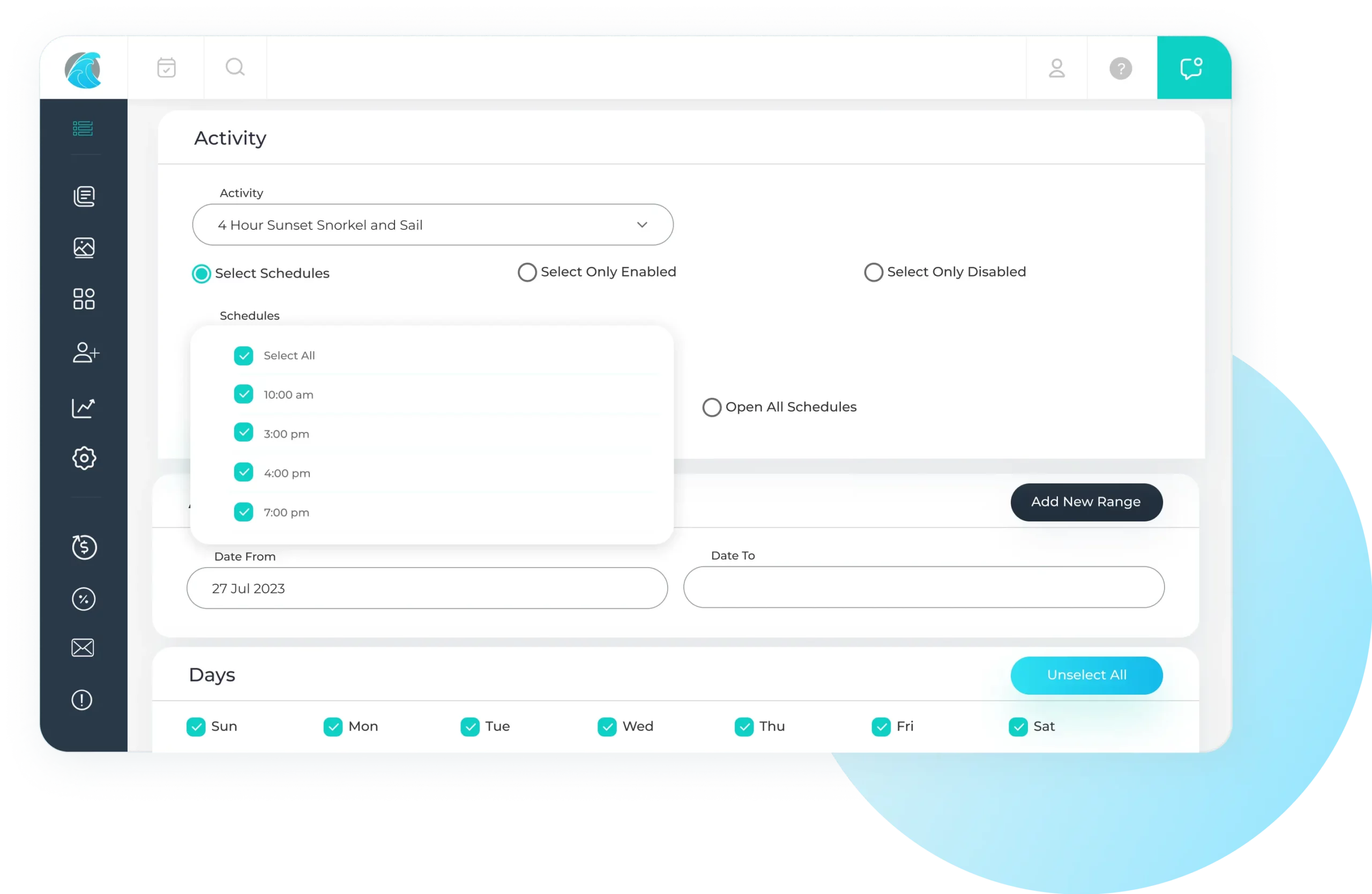
Modify Entire Schedules with Ease
- Make bulk rate and schedule changes in minutes, without complex setup or extra steps.
- Set automatic close times so your final rental or trip never runs past sunset.
- Use the matrix view to quickly open or close trips, adjust availability, and update rates on the fly.
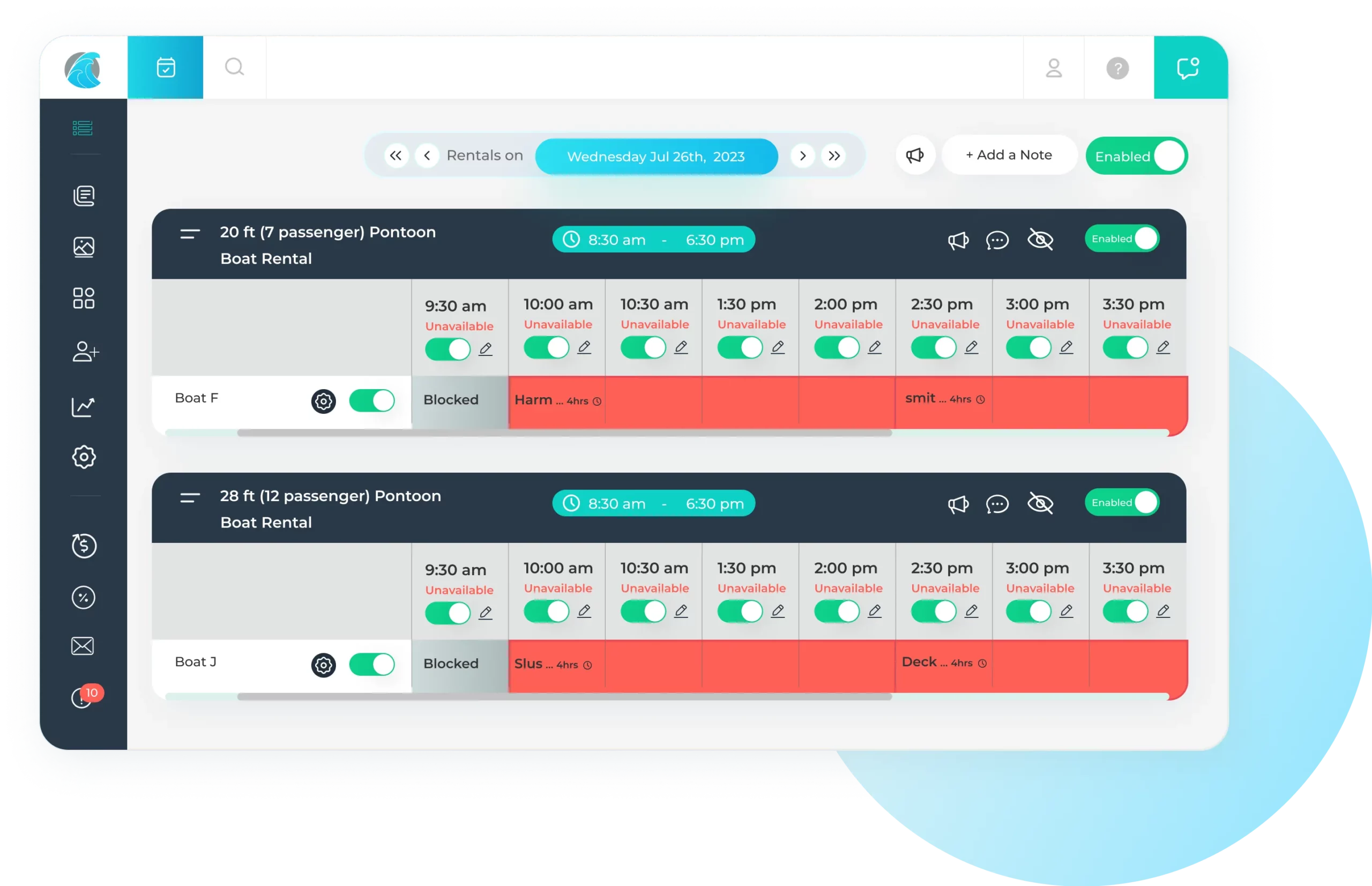
Maximize Your Resources for Higher Profitability
- Adjust availability on the fly using the matrix view to keep equipment fully utilized.
- Assign equipment across multiple trips to expand offerings without overbooking.
- Automatically lift cut-off times once minimums are met, capturing more last-minute revenue.
- Disable online and third-party bookings with one click when demand is strongest for direct sales.
Reach More Customers
- Reach more travelers through built-in integrations with Google Things To Do and Viator/TripAdvisor.
- Turn your customer list into high-performing Lookalike Audiences in Meta and Google Ads for smarter, more targeted campaigns.
- Enable local operators to resell your trips for a commission by opting into the WaveRez reseller marketplace (Powered by TripShock).
Watersport Scheduling Software Frequently Asked questions
1. Where can I see my boat rental schedules in a weekly view?
Yes, you can definitely see your boat rental schedules on a weekly view in WaveRez. In addition, you can see a daily and month view of your availability and bookings. Our weekly view also gives users the ability to click a trip and start a new booking without having to check availability first.
2. Can I change my trip from one boat to another without cancelling everyone?
Yes. If you need to move a reservation from one piece of equipment to another, it only takes a few clicks. This is especially useful when a boat or rental unit unexpectedly needs maintenance. Instead of manually updating multiple parts of the reservation, you can quickly transfer the trip to another available vessel. Once the reservation has been moved, you can immediately place the original equipment into maintenance, preventing any new bookings until it’s back in service.
3. Will my tour schedules sync with 3rd Party Sites like Viator, Get Your Guide and TripShock?
Yes, WaveRez has integrations with Viator, TripShock and Get Your Guide and your schedules will sync seamlessly with its API integration. There is no additional charge to setting this up, but OTAs do have commission fees when a booking is fulfilled.
4. Can I change my rentals schedules on the fly with my phone?
Yes, WaveRez’s mobile web app lets you manage your rental operation from anywhere. You can quickly enable or disable schedules, adjust pricing, place equipment into maintenance, create new reservations, and leave internal notes, all from the convenient daily matrix view.
5. Can I add cut off times to my schedules so I don’t get last minute bookings?
Yes, you can set cut off times on your schedules from a range of 30 min to 18 hours. WaveRez also has a feature where your cut off can be removed from a trip once you get a booking. When the cut off begins, the customers are offered a “call to book” option.
6. Can I sync my boat rental schedule from WaveRez to Google Calendar?
WaveRez does not currently offer automatic syncing with Google Calendar or Apple Calendar because of the complexity involved in keeping booking changes synchronized reliably. However, every booking notification email includes a one click option to add the trip directly to your Google Calendar. Many operators actually prefer this approach because it gives them the opportunity to review the booking before adding it to their calendar, along with adding notes, assigning crew members, and including any other trip specific details that help with daily operations.
7. Can WaveRez limit the amount of boats to be rented for a specific schedule time?
Yes, WaveRez can limit the amount of boats to be rented for each schedule time. This is a simple change that can be made on the matrix view, or can be defaulted so every departure time for every day has a strict limit. This is a good feature to make sure the crew isn’t overwhelmed with too many departures at a certain time.
8. Will I be able to open up my rental schedules on the fly?
Yes, WaveRez makes it easy to open additional rental availability at any time using the Daily Matrix View. With a simple toggle, you can instantly make a time slot available for booking. Once enabled, the new availability is immediately visible to customers booking on your website as well as through connected reseller channels, helping you fill last minute openings and maximize bookings.
9. Can I offer different prices for each schedule time?
Yes, WaveRez allows you to set different prices based on the departure time for both ticketed activities and rental offerings. Pricing can be adjusted manually on a day by day basis using the matrix calendar, or you can use Calendar Controls to automatically apply pricing rules across specific date ranges. This makes it easy to implement seasonal pricing, peak hour rates, or special promotions without updating each schedule individually.
10. Can I put in a buffer between each boat rental so I can reset the equipment?
Yes, the software allows for buffers in between each reservation so crew has time to prepare for the next renter. These buffers can be set based on your preference. For jet skis, the buffers are typically 10-15 minutes, but boats are 20-30 minutes.
We Strive To Be The Best
See what real WaveRez customers are saying
John Stephens
Luther’s Pontoon, Waverunners, & Kayaks Rentals
Kristy Johnson
Olin Marler’s Dolphin Cruises & Fishing Charters
Optimize Your Schedules

No Hidden Fees

No Contracts

Built For Watersports

Live Support