You have boats in the water and a team that works hard every day for you and your customers. Now you need a reservation system to bring it all together. There are a lot of options in the boat rental software space, and if you quickly browse a few of their sites, they may all look and sound the same. You know you need easy online booking, a way to collect payments, calendars for your fleet, and a way to automate essential customer correspondences, but what else? How about easy to use for you, your customers, and your staff?
And while they all may seem similar, there are critical differences, and the same software won’t be a great fit for every operation. For example, a company running luxury sunset cruises may have different business requirements than a high-volume pontoon rental company. Add a variety of equipment like jet skis, fishing boats, add ons like paddle boards, or several physical locations and now there’s even more to consider!
So which one is ultimately best for you? You’re hopefully about to find out. Below, we’ll walk through ten boat rental software platforms, what makes each unique, and how to assess them based on your particular business needs.
About this guide: This research and article was conducted and written by WaveRez. We reviewed public product information, pricing pages, and help guides in October 2026. Our selections and criteria reflect a relevance to boat rental operators in particular. Always do your own homework to confirm features, pricing, and participate in product demos before making a final decision.
What Are Your Boat Rental Software Options?
Before diving into the details, it helps to have an overall idea of where to start. Some platforms put a lot of emphasis into selling tours through travel websites, while others stress how to keep your fleet organized, getting paperwork finished, or building a foundational, high-converting website to complement the actual booking system.
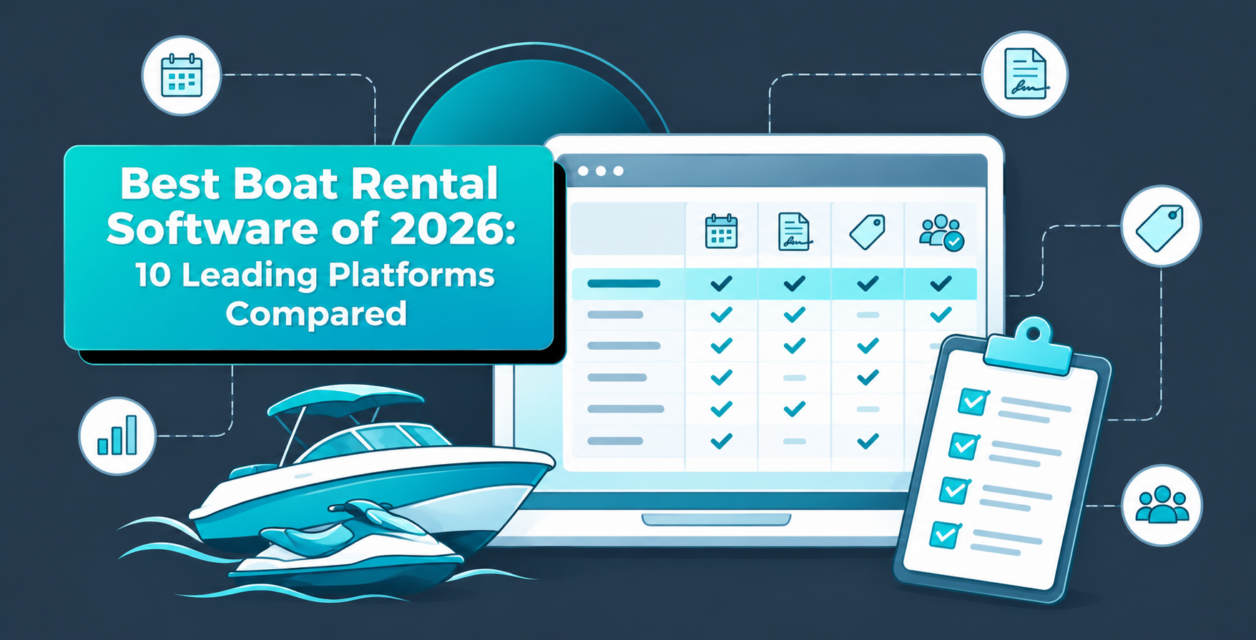
Because there’s plenty of overlap, you can use the table below to narrow your search and figure out the best place to start. See a few of the practical differences below:
| Platform | A Good Starting Point For… | General Pricing Structure |
|---|---|---|
| WaveRez | Boat, jet ski, and mixed watersports operations | Booking fee paid by the customer; no monthly subscription |
| FareHarbor | Rental and tour businesses that value outside sales partners and 24/7 support | Booking fee based on sales volume; no monthly fee advertised |
| Peek Pro | Online booking, guest self-service, and rental paperwork | Booking fee based on sales volume; no monthly fee advertised |
| BookingCentral | Individual boat scheduling and daily fleet operations | Booking fee based on sales volume; possible annual fee for lower revenue businesses |
| Indexic | Equipment scheduling and trips affected by tides or sunset | Booking fee based on sales volume; waiver functionality extra |
| Rides Rental Software | A rental website and booking system together | Pricing of fees and/or subscription based on your business revenue |
| Xola | Shared boats, group bookings, and scheduled experiences | Booking fee based on sales volume; no monthly fee advertised |
| Bókun | Selling tours and private experiences through travel websites | Monthly subscription plus applicable booking fees |
| Bookeo | Subscription-priced tours and charter scheduling | Monthly plans with limits and optional extras |
| TripWorks | Flexible rental scheduling alongside booking and sales tools | Pricing of fees and/or subscription based on your business revenue |
Note that the various pricing structures don’t represent the complete cost of running each system. Payment processing, setup, and additional services will all affect the bottom line.
Start Where Your Customers Do: At the Dock
It’s very easy to get caught up in a long list of features when scoping a software for your rental business. As such, a good starting point is thinking about the kind of work your crew does day in and day out and where things tend to get held up. In other words, your customer and employee pain points.
Maybe your reservation team is constantly double checking with the dock to see which boat is clean, full of fuel, and ready to ship out. Maybe customers never arrive with their paperwork or waivers completed, or perhaps every threat of weather turns into a customer service nightmare. Those are the kinds of problems worth bringing to your next software demo!
Keeping Your Boats and Your Reservations Tidy
Let’s say you have one pontoon boat available for four, six, and eight-hour rental durations. Customers see three rental choices, but you only have the one boat. Once someone books the full eight-hour rental the shorter options need to drop off the schedule.
The same idea applies when reservations are booked in different places. A good software will keep your schedules straight if the booking is done online, over the phone, at the counter, or through an online travel agency (OTA) like Viator or TripShock. If not, two groups could arrive expecting the same boat, and depending on your inventory and seasonality, that could become a customer service disaster.
Think about the extras, too. If you offer captained options for your rentals, water toys, or other equipment like fishing poles in limited quantities, those need to be available when the customer books them. Another angle to think about is timing. A noon rental return doesn’t automatically mean a noon departure right behind it. Your crew still needs time to inspect, clean, and refuel before the next group heads out!
Getting the Paperwork (Hopefully) Done Before Arrival
Having customers complete their waivers and other required steps ahead of time can take a lot of pressure off check-in and promote good feelings generally with your brand and with your team. As such, it’s important a reservation software can streamline this experience to help dock staff determine who’s ready to roll, who is not, and what other boxes need to be checked before departure.
Take this scenario into consideration: one person books a 14-person double-decker pontoon boat with dual waterslides for five adults and five children. Oftentimes the person that booked the boat will have completed their waivers for them and their family, but what about the other people in the group? Depending on your operation, you also likely need identification or confirmation that the driver has completed a required boating certification course for your respective state or locality. Such a list of requirements demands a fast and intuitive way for staff to verify each person’s status.
Payment arrangements deserve a close look as well. For example, a deposit paid toward the rental and a temporary hold on a credit card are distinct. Make sure the software company explains how your preferred arrangement works, including what happens with funds after the boat returns to the docks.
Making Room for Changes
As we all know life isn’t perfect and things happen. Boats need repairs, guests run late, and the weather doesn’t always cooperate. Your software should help you work through these challenges without creating additional headaches with your schedule.
Picture a boat coming back with damage and another reservation scheduled for that afternoon. You’ll need to take the boat out of service, find an available replacement, and update the reservation. A weather cancellation adds another layer: notifying guests, moving trips, and possibly refunding others who are in town on vacation and don’t have the ability to come back on a different date. A good software demo should absolutely walk you through all of this.
Understanding Where the Time and Money Goes
Reporting is another critical function of any good boat rental reservation software. Which products or locations are selling? Which time slots need more bookings? And of course how much money did you collect and how much was refunded?
Reports also help operators understand where customers are coming from and what those bookings cost you. A reservation through an OTA is worth a different amount than one made direct through your website. Both are valuable, but you’ll want to know the difference before deciding where to put more money and effort. Do you pay for premium placement on a marketplace or do you spend more money on Google or Meta Ads?
Finally, let your dock crew take your trial software for a spin. After all, they’re the ones who will be using it every day with guests waiting, phones ringing, and another boat coming in. Their feedback is important, and it should be part of an overarching criteria that you’ll use to make a final decision.
10 Boat Rental Software Platforms to Consider
1. WaveRez
A strong fit for boat, jet ski, and mixed watersports businesses.
At WaveRez, our focus goes beyond helping watersports operators manage reservations and daily operations. We’re committed to helping operators build stronger, more profitable businesses. Our marine rental software offers a comprehensive suite of tools designed specifically for boat and jet ski businesses, including fleet and calendar scheduling, built-in waivers, boater certification, maintenance management, and customer communication.
That combination is especially valuable when managing different types of rentals. The paperwork for a jet ski renter, the availability of a pontoon, and emergency maintenance on a deep-sea fishing boat all require attention, sometimes simultaneously. Having these needs covered by a platform built specifically for watersports helps simplify operations and keep your team focused on delivering great experiences.
But what truly sets WaveRez apart is the people and community behind the software. We take a hands-on approach to helping operators grow through one-on-one consulting, educational webinars, industry networking, and events like The Port, an annual watersports industry conference. Our team works closely with operators to share best practices, identify growth opportunities, and help them make smarter business decisions. We believe our success is directly tied to the success of the businesses we serve.
Every operation is different, which is why we encourage operators to bring their fleet details, rental durations, and check-in requirements to a demo. We’ll not only show how WaveRez can support your daily operations, but also explore ways to help your business operate more efficiently and grow.
Pricing and considerations: WaveRez charges $300 for basic startup and uses a 6% online booking fee, which is typically passed to guests, with no monthly subscription. You can review all pricing information for the platform here.
Why it may not be a good fit: If you also offer non-water-related activities, such as walking tours, bus tours, or museum experiences, WaveRez may still be a good fit. However, because WaveRez is specifically designed for the watersports industry, it may lack certain features tailored to those other types of activities.
2. FareHarbor
A good option to compare if outside booking partners and 24/7 support are priorities.
FareHarbor is another top option for operators. FareHarbor is particularly useful if you have multiple locations or are looking for a better way to boost third-party sales. It also has built-in waiver functionality and can even handle credit card holds.
For a business taking reservations from several places, that’s a solid start. Around-the-clock support is another point worth considering, especially when your busiest hours (like if you like to get your office work done late) don’t line up with a normal office schedule.
Finally, be sure to take a good look at how customer paperwork is handled and confirm which parts of the process your staff would actually use and whether you need to budget for separate charges.
Why it may not be a good fit: FareHarbor serves a wide range of tours, activities, and rental businesses. While it offers shared inventory and time blocks for cleaning, boat rental operators should look closely at how their full check-in process comes together. If verifying waivers, boater certifications, and vessel readiness requires your crew to bounce between tools or keep separate records, that extra work could become a headache on busy days.
Pricing and considerations: FareHarbor also uses a fee-per-booking model, and its setup is based on the scale of your business. Request the booking and payment rates for your operation, along with an explanation of which fees are returned when a trip is refunded.
3. Peek Pro
Worth a look if easy checkout and getting guests ready ahead of time are high priorities.
Peek Pro offers a slew of features like a built-in waiver system, photos attached to reservations, deposits, and built-in time between rentals for turnover. It also offers auto follow-up emails for people who abandon their cart during bookings and an intuitive customer experience for handling tasks before arrival. The customer area gives guests a place to take care of waivers and certifications that are useful to keep everything on schedule.
Peek also offers maintenance management controls and mobile apps with offline functionality. If the connection at your dock is inconsistent, have the team show exactly what still works offline during your demo.
Why it may not be a good fit: Peek Pro offers plenty of tools for selling rentals and protecting your boats, but a smaller operation may not need that much functionality. If you have a few pontoons, fixed departure times, and a straightforward check-in process, consider how much of the platform you would actually use. More features only provide value if they make your team’s work easier or help bring in more business.
Pricing and considerations: A similar price-per-booking model as WaveRez and FareHarbor, though rates change based on your business’s booking volume and average conversion value, so be sure to get a firm quote during your demo.
4. BookingCentral
A solid bet for operators keeping track of different kinds of boats and locations.
BookingCentral puts a lot of attention on the equipment itself. Specifically availability, maintenance windows, and daily operations. On top of that, it has handy mobile tools for customers like check-in, signatures, and payments.
Be sure to discuss additional rental location functionality in your conversation if this is one of your primary pain points as coordinating equipment across several locations can involve a multitude of steps.
Why it may not be a good fit: BookingCentral deserves a closer look at costs if you run a small fleet or a short rental season. Its pricing includes onboarding, and an annual minimum may apply depending on your processing volume. If you only have a few busy months to cover those expenses, the arrangement may be less appealing. Be sure to ask what you would owe during a slow year.
Pricing and considerations: An industry-standard fee-per-booking system as well as setup costs. If your business doesn’t do enough volume, you may also be subject to an annual fee.
5. Indexic
Platform for trips navigating environmental and seasonal changes.
Indexic’s platform boasts an interesting scheduling feature based on timing of tides, sunrises, and sunsets. For a sunset dolphin cruise operator, this actually makes a lot of sense as the ideal departure time moves throughout the season.
The early-return feature is another unique angle to explore. A boat back ahead of schedule may give you another chance to rent it. Have Indexic show how those steps fit together before equipment goes back on the calendar for consumers.
Why it may not be a good fit: Indexic may be less appealing if you want reservations and guest waivers covered under one software charge. Its waiver service is priced separately, and one boat reservation can involve several people who each need to sign. For a company sending out large groups throughout the day, that’s worth doing the math on before deciding whether the overall arrangement makes sense.
Pricing and considerations: fees are based on annual sales volume, and its waiver service has separate pricing. Request the combined cost of reservations, waivers, payment processing, and any other services that may affect your bottom line.
6. Rides Rental Software
A place to start if you need both a rental website and a booking system.
Rides Rental Software offers turnkey template websites and straightforward tools for operators like reservations, fleet calendars, payment processing, waivers, customer document portals, and customer records. Its boat offering covers hourly and multi-day rentals too.
Be sure to consider your website beyond launch day, as changing photos, rates, and offerings may require extra time and support beyond your team.
Why it may not be a good fit: If you already have a website that looks good and converts, Rides’ website offering may not be a huge selling point. Before committing, confirm how it would fit your existing site and whether switching would involve rebuilding pages or changing how your team manages content.
Pricing and considerations: Pricing changes from customer to customer. Be sure to lay everything out for your product specialist so you know exactly what to expect for financials.
7. Xola
Worth comparing for shared boat schedules and group bookings.
Xola’s boat rental software includes multiple activities, built-in waivers, waitlists, and solid standardized reporting for business health checks. It also offers split payments so different parties within a single group can pay their fair share. If you have bareboat charters and big boats this can be a pretty awesome feature.
Calendars and scheduling are a big deal too. Xola helps make sure that individual watercraft stay available for the right departures without being promised elsewhere or at the same time.
Why it may not be a good fit: Xola may be less appealing if keeping additional charges off the customer’s checkout screen is a priority. Its pricing includes a customer-facing booking fee, which becomes part of the total someone considers when comparing rentals. For higher-priced boats or multi-day bookings, ask to see the actual dollar amount. Then decide whether that final price fits your market and how you want to present your rates.
Pricing and considerations: Xola is funded by a booking fee and also comes with a credit card processing fee. Check set up costs and fee models based on your unique business size and scope.
8. Bókun
A good starting point for operators selling tours and private experiences through travel websites.
Bókun combines tools for selling through outside channels with what they call resource management. Resources are your business assets, like boats, captains, and other equipment needed to accommodate different bookings. Like many others listed, it can block off resources once they are spoken for and across different platforms live.
Be sure to ask representatives about how they handle a multitude of rental durations, a boat taken out of service, and a late return. Those details help show how the system fits your operation beyond the initial reservation.
Why it may not be a good fit: Bókun’s tools for selling through travel websites may be less valuable if most of your customers book directly and your biggest headaches happen at the dock. Keeping track of individual boats, late returns, and maintenance may matter more to you than expanding your sales channels. If those daily tasks still require separate tracking after setup, it may not solve the problems that prompted your search.
Pricing and considerations: Bókun pricing starts at $49 per month plus 1.5% for bookings. Be sure to discuss variable pricing based on scale.
9. Bookeo
Worth considering if you prefer a subscription model rather than booking fees.
Bookeo’s all-in-one platform allows guests via their open schedule to choose a start time within the hours you make available on your calendar. It can also support routine customer care functionality like booking confirmations, rental time reminders, and follow ups for review generation, which is an extremely important function for trust building. If you offer different durations be sure to have them show you how variable fleet management can look for your operation.
Why it may not be a good fit: Bookeo’s subscription model may become less attractive as your fleet, staff, and booking volume grow. Plans have limits on vehicles, staff logins, and monthly reservations, while waivers carry an additional charge. A small operation may fit comfortably within those limits, but a larger company should price the plan it actually needs. The entry-level rate may tell only part of the story.
Pricing and considerations: The Tours and Activities package is listed at $39.95 per month for up to 1,000 bookings. Payment processing, waivers, and text messages can add costs to the final price.
10. TripWorks
An option to compare for flexible rental schedules and shared equipment.
TripWorks provides most basic boat rental software functionality as well as a daily return cutoff. This last detail can be especially useful when guests choose their own starting time. For example, if all boats need to be back by five, a four-hour rental starting at three won’t work. A return cutoff helps keep the available starting times in line with the length of the rental.
TripWorks also helps you handle a mix of shared and private equipment. Such functionality helps boat rental operators selling individual seats from reserving an entire boat for one party. If you offer both, be sure to ask about this feature during demos.
Why it may not be a good fit: TripWorks serves the broader tour and activity market, so a rental-heavy business should look beyond how it handles the initial reservation. For example, what happens when a boat returns late, needs repairs, and has another group arriving that afternoon? If your crew still has to coordinate the replacement and update availability outside the system, it may leave too much of your daily work untouched.
Pricing and considerations: TripWorks charges variable monthly pricing based on the size of your business. Be sure to confirm monthly dues, booking fees, and payment processing with their team.
How Much Should You Expect to Pay for Boat Rental Software?
Because prices change across providers based on scale be sure to go into the demos and negotiations with standardized numbers for volume. Use the same number of bookings, average rental price, and be sure to have a few must-have functionalities, then look at what you and your customers would actually pay.
That may sound obvious, but the charges can be arranged and charged differently and at different times. While one company may use a monthly subscription, another may charge a percentage of bookings, and another may combine both. Some tools are included, while others are separate.
Look at the Complete Price
Before comparing totals, get these pieces squared away:
| Charge | What You’re Actually Paying For |
|---|---|
| Monthly or annual subscription | Access to the software |
| Booking fee | A charge attached to a reservation, often a percentage |
| Card-processing fee | Handling the payment |
| Setup or onboarding | Getting your boats, prices, schedules, and team ready |
| Additional services | Things like waivers, text messages, or a website |
| Outside seller commission | The portion paid to a travel website or booking partner |
A low card-processing rate can look attractive, but it may sit alongside a separate, higher booking fee. Along those same lines, no monthly subscription fees help during slow seasons, while percentage charges add up as reservations and volume increase.
Compare the Bookings You Actually Make
Let’s say you take 1,000 direct online reservations in a year at an average of $400 each. That gives you $400,000 in booking value.
A 6% booking fee on that amount would total $24,000. A $49 monthly subscription plus a 1.5% booking fee would total $6,588 for the year.
Those examples cover only the subscription and percentage fees. They don’t include payment processing, setup, taxes, extras, or differences in the software itself. They also don’t establish which charges come out of your pocket and which are added to and paid by the customer.
Take this model further and change the size of the business or the average reservation amount, and the comparison changes with it. A small kayak rental operation and a company booking high-dollar luxury charters can have drastically different costs under the same model. As always, use your own operation’s numbers whenever possible.
Factor in the Work It Helps You Do
The lowest software bill isn’t the only measure of value. Time is money! If your staff has to spend extra hours each week navigating systems, tracking down proper paperwork, or correcting reservations, there’s a major cost to that work.
If a system saves your team five hours a week during a 20-week season, that means your crew has 100 more hours to focus on boats and the customer experience overall. At $20 an hour, that’s $2,000 worth of valuable staff time.
The same thinking applies to filling an available rental slot or making it easier for guests to add equipment. Have the provider show how the feature works, then decide whether it would make a meaningful impact on the bottom line of your business and make your operations that much easier.
Don’t Forget About What the Customer Sees
If a $400 rental has a 6% fee added, the customer is looking at $424 before taxes or any other charges and add-ons. Passing that fee along changes who pays it, but it’s still part of the price someone considers when surveying an extremely competitive rental landscape.
Be sure to also take a look at the finished checkout screen and confirm what customers see before they pay. Also ask what happens to booking and processing fees after a weather cancellation, partial refund, or as schedules change.
Bottom line, you want a clear picture of a normal reservation, a canceled one, and a slow month. That’s a much better comparison than choosing simply based on the smallest number available.
Which Boat Rental Software Makes Sense for Your Business?
Start with the parts of your operation that need the most help, then pick two or three providers to compare via software demos in greater detail.
If you’re running boats, jet skis, and other marine activities, WaveRez is a strong place to begin. The unique combination of equipment scheduling, guest preparation, and watersport-focused tools lines up with the work these businesses handle every day.
If much of your business comes through travel websites and other booking partners, you might consider platforms like FareHarbor and Bókun. Be specific about the sellers you use and how you need those reservations to work including waivers and fulfillment.
Finally, for online booking and guest preparation, Peek Pro and Xola deserve consideration, while TripWorks is worth exploring for its rental scheduling rules. If you need a new website along with reservations, include Rides Rental Software. And if you prefer a monthly subscription for tours and charters, Bookeo gives you another approach to compare.
You may find that several different options cover most of the basics. That’s where a demonstration using your own boats, rental arrangements, and specific operational pain points are especially valuable.
What Should You Confirm Before Signing Up?
Changing reservation platforms is a huge decision and should be done diligently and thoughtfully. A useful product demo should leave you with a crystal-clear idea of what your team will do and what the software will handle on their behalf.
Can it handle your rental choices? Show the provider a boat offered for four, six, and eight hours, and watch what happens when one option is booked.
What happens when a boat goes down? Work through removing it from service, finding affected reservations, and shifting guests to another boat.
Who is ready to leave? Have the team show where your crew checks payments, waivers, and any required boater certifications.
How do weather changes work? Ask about rescheduling and refunds, as well as any fees that come with the territory.
What happens to existing reservations? Confirm how upcoming bookings and customer records move into the new system, along with anything your staff must handle manually.
Can the crew use it comfortably? Let someone who will work with the software try a few common tasks. The crew’s honest feedback for how things will work in crunch time is extremely valuable and should not be taken lightly.
A little coordination now can save a lot of figuring things out when the dock is hectic during peak season and special occasions like the 4th of July holiday. You don’t need to understand how the software was coded. You do need to understand how it will work for your business.
Frequently Asked Questions
What’s the Difference Between Boat Rental and Boat Tour Software?
Boat rentals usually reserve a whole boat for a period of time, while tours often sell seats on a scheduled departure. If you offer both using the same boats or crew, make sure the system keeps those reservations connected so the same equipment isn’t promised twice.
Are Waivers and Damage Deposits Included?
That depends on the provider and package. Some include waivers, while others charge separately or connect another service. Confirm payment deposits and temporary card holds individually, too, since they work differently. Have the provider show the arrangement your team actually uses.
Is Software With No Monthly Fee Cheaper?
It can be, particularly during quiet periods, but the answer depends on your booking volume, rental prices, and other charges. Compare a full year of activity and separate the fees your business pays from those added to customers’ reservations.
Can I Keep My Current Website?
Ask whether the provider’s booking tools can be added to your existing site. If a replacement website is included, confirm who controls the domain, updates the content, and keeps the website or its contents if you leave the platform.
So… Which Boat Rental Software Should You Choose?
If your business revolves around getting guests onto boats and jet skis, a system designed around watersports is absolutely worth considering. That’s where we believe WaveRez makes a strong case: its tools address the equipment, paperwork, scheduling, and customer communication that come with running these operations.
Of course, the best choice still depends on what you offer, how your crew works, and what you need to improve. A tour business selling through several travel websites may put more weight on those connections. Another operator may care most about fixed monthly costs or replacing an outdated website.
Think hard about the business you actually run. Choose a system that handles the important details, makes sense to your staff, and gives you a clear understanding of the cost. There’s a lot of value in having the next boat, next reservation, and next group ready to rock and roll.
Ready to see how WaveRez would fit your operation? Get in touch with our team and tell us about your fleet, locations, and biggest daily challenges. We’ll walk through the details together and help you see what running your rentals with WaveRez could look like.
About the Author
Greg Fisher